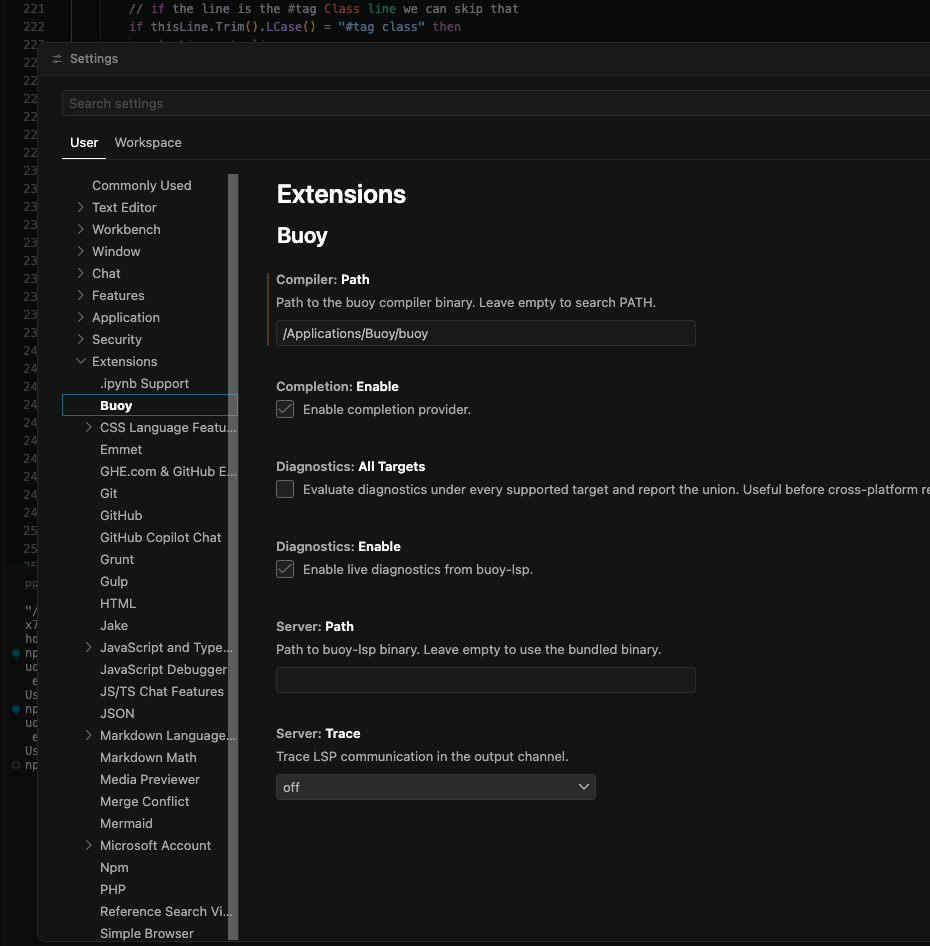
where can I find the LSP file for Buoy you mentioned
“Buoy ships a Language Server (buoy-lsp) usable from any LSP-compatible editor — VSCode, Neovim, Emacs, JetBrains, Sublime, Helix, and others.”
where can I find the LSP file for Buoy you mentioned
“Buoy ships a Language Server (buoy-lsp) usable from any LSP-compatible editor — VSCode, Neovim, Emacs, JetBrains, Sublime, Helix, and others.”
should be in Editors > VSCode
open vs code & load that VSIX file
Note that the LSP is currently arm64 only
Here’s a useful VSCode build task tat will build the item in the selected tab and run it
NOTE you PROBABLY have to alter the name of the BUOY executable folder
on my machine it is buoy-927bc57-macos-x86_64
YMMV !
{
    "version": "2.0.0",
    "tasks": [
        {
            "label": "Build",
            "type": "shell",
            "command": "${workspaceFolder}/buoy-927bc57-macos-x86_64/buoy",
            "args": [
                "${workspaceFolder}/samples/${fileBasename}",
                "-o",
                "${workspaceFolder}/bin/${fileBasenameNoExtension}"
            ],
            "options": {
                "cwd": "${workspaceFolder}"
            },
            "presentation": {
                "reveal": "always",
                "panel": "new",
                "clear": true
            },
            "problemMatcher": []
        },
        {
            "label": "Run",
            "type": "shell",
            "command": "${workspaceFolder}/bin/${fileBasenameNoExtension}",
            "options": {
                "cwd": "${workspaceFolder}"
            },
            "presentation": {
                "reveal": "always",
                "panel": "new"
            },
            "dependsOn": [
                "Build"
            ],
            "dependsOrder": "sequence",
            "problemMatcher": [],
            "group": {
                "kind": "build",
                "isDefault": true
            }
        }
    ]
}
I see.. i already use the vsix file. No idea it is the lsp file
Well woof.
Adding a debugger to the VSCode extension is a heavy lift. It’s next on my list but it’s going to make the deliverable package balloon in size. It’s coming people but it’s gonna be a minute…
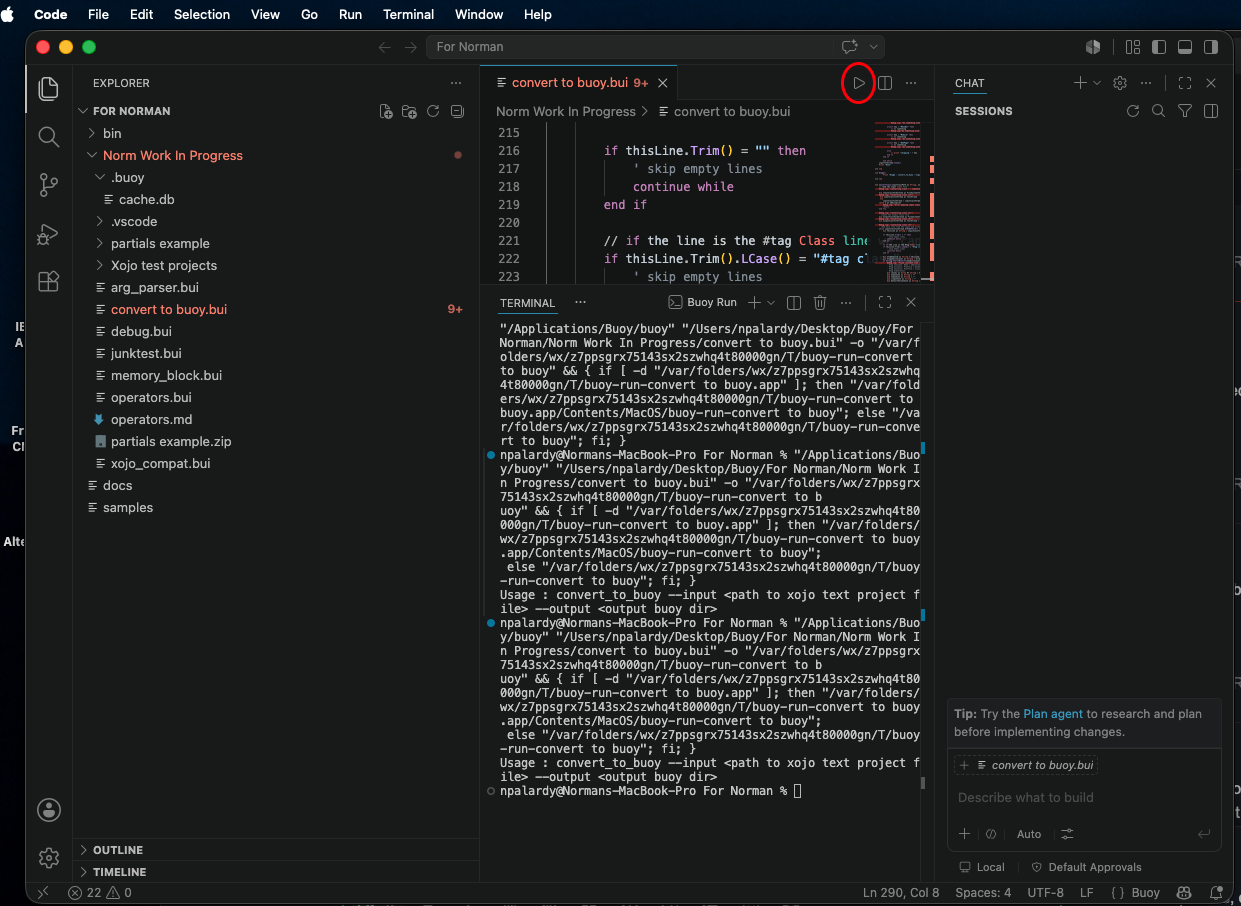
In VS Code this works for me (I’m sure there are other ways as well)
This assumes you have used the DMG to place Buoy in the /Applications/Buoy directory
IF it is NOT located the adjust the COMMAND close to the beginning of the file to set where Buoy is located
Use a “task” json file in the directory that contains your project
Now when you press CMD-SHIFT-B the Buoy file in the current TAB will be compiled & run
{
    "version": "2.0.0",
    "tasks": [
        {
            "label": "Build",
            "type": "shell",
            "command": "/Applications/Buoy/buoy",
            "args": [
                "${fileDirname}/${fileBasename}",
                "-o",
                "${workspaceFolder}/bin/${fileBasenameNoExtension}"
            ],
            "options": {
                "cwd": "${workspaceFolder}"
            },
            "presentation": {
                "reveal": "always",
                "panel": "new",
                "clear": true
            },
            "problemMatcher": []
        },
        {
            "label": "Run",
            "type": "shell",
            "command": "${workspaceFolder}/bin/${fileBasenameNoExtension}",
            "options": {
                "cwd": "${workspaceFolder}"
            },
            "presentation": {
                "reveal": "always",
                "panel": "new"
            },
            "dependsOn": [
                "Build"
            ],
            "dependsOrder": "sequence",
            "problemMatcher": [],
            "group": {
                "kind": "build",
                "isDefault": true
            }
        }
    ]
}
Keep in mind that if you’re building a gui app, the compiler detects that from your code and automatically builds a bundle so your app will run. The logic in this file will need to be adjusted for that.
I have a question: is buoy open source or is it closed source?I wasn’t looking for it until now but I am interested in this case.
At the moment it’s closed source freeware. I honestly don’t know where this project is going other than I’m trying to replace my reliance on Xojo. $1000/yr is just too much money for a tool that I use once or twice a quarter.
Ironically one of the first things that I developed after the language began to mature was a way to build Xojo Plugins in buoy… and I’ve done it. I’m planning to replace the three things that I sell on xojo’s store with buoy-compiled plugins sometime soon.
I thought they will give you freetime access. Hmm. That’s a nice company with bad Ideas.
I have no Idea why you wanna workout this stuff completely alone. There may be people which can help developing the entire tech stack around. That was my Idea behind. I whish you all the luck somebody can have. It couls become a tool which is able to replace XoJo xomletely. I developed a Java Bridge for XoJo which was for my use enough. But it is an interesting project at all.
It would be interesting to have a simple UI designer for it and a better workflow for building programs. But hey, look who is speaking about…I am hardcoding my UI’s in JavaFX and Codenameone and also Vaadin without Designer 
What makes you think Greg is working alone ?
Let’s discuss this…
If you look in the samples directory, there’s a project called “layout-editor”. It can already be used to put controls on a window. I’m thinking about moving that to another public repo so people can start helping.
Well we’re working on it. VSCode is an intentional decision and the vsix plugin is coming along pretty well. It already does autocomplete and on-the-fly syntax checking. You can even run directly.
Another thing to keep in mind is that I already have a package format. I did some work today that I think means that people can start writing them tomorrow, so if something doesn’t exist yet, you could make it yourself. They come in three flavors:
Packages are project specific, so they can be put next to the main project file and you’re good to go.
The latest version will ship in 0.14.x. Just gotta figure out a runner problem so I can build again
I have try the layout-editor. work brilliantly !!!
That’s really a huge amount of York which you’ve done. Really. Congratulations. I will have a look on the designer tomorrow. I have still a few customers which are waiting for an alternative to XoJo. I will have soon two. That sounds really great.
To be perfectly fair, it’s really early days for that editor. It needs a way to set locks and to add constraints. It’s also a really good project to exercise the framework.
Clearly it needs the ability to render real controls and I want to make it possible to “run” the layout so you can check that everything flows right… kinda like a remote debugger just for layouts.
Off topic but a several years ago Joe Strout was looking for people to work with him on a Xojo replacement/competitor IIRC, but I don’t think anything came of that.
Have to say I don’t recall that but its possible
IRCC Markus was aware of it was well. I actually had some contact with Joe about it.