This is a nice release with some real polish.
As always, all reported bugs have been fixed (24).
We’ve added 14 new features but I’m just going to call out a few of them below.
New hierarchy view
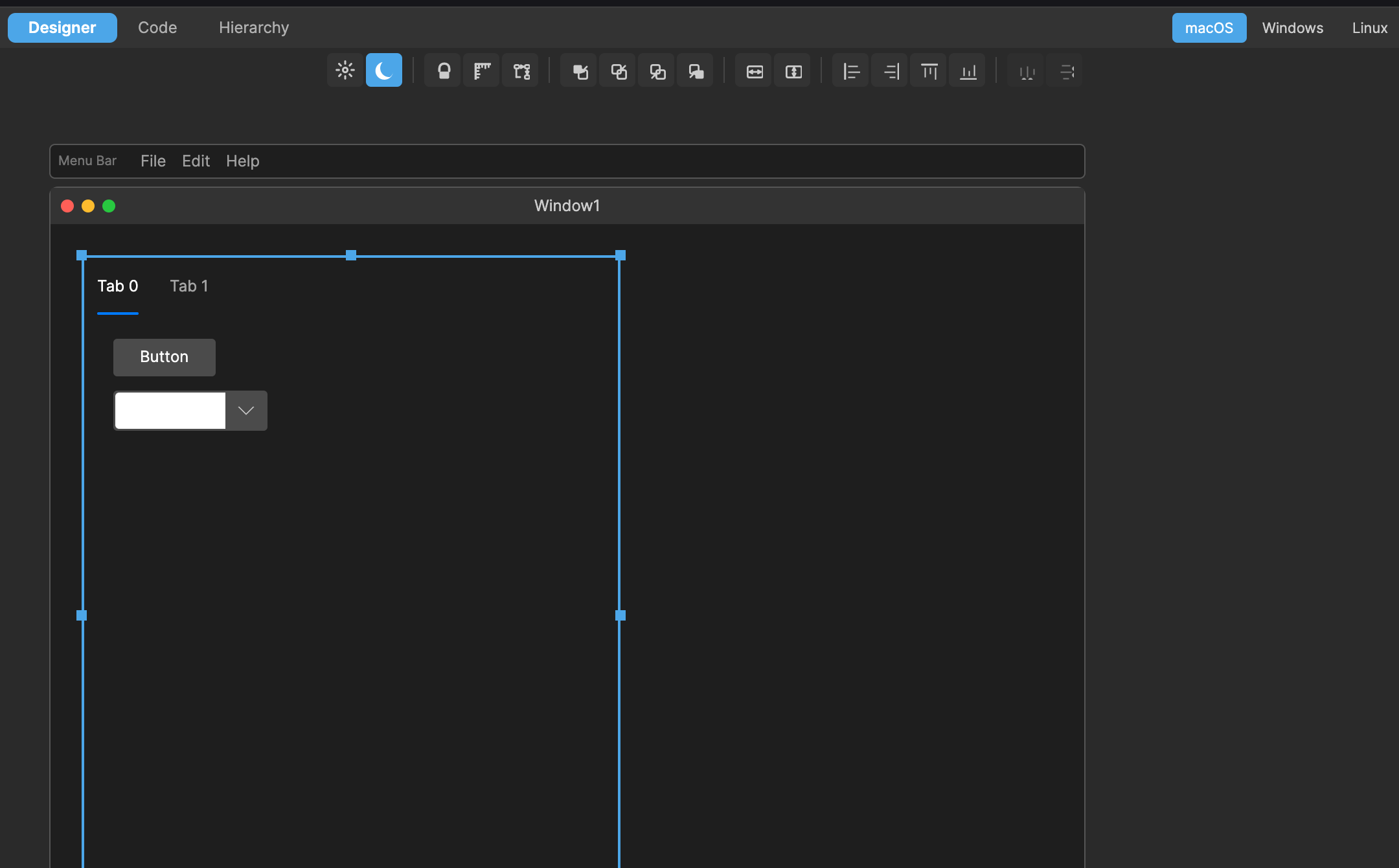
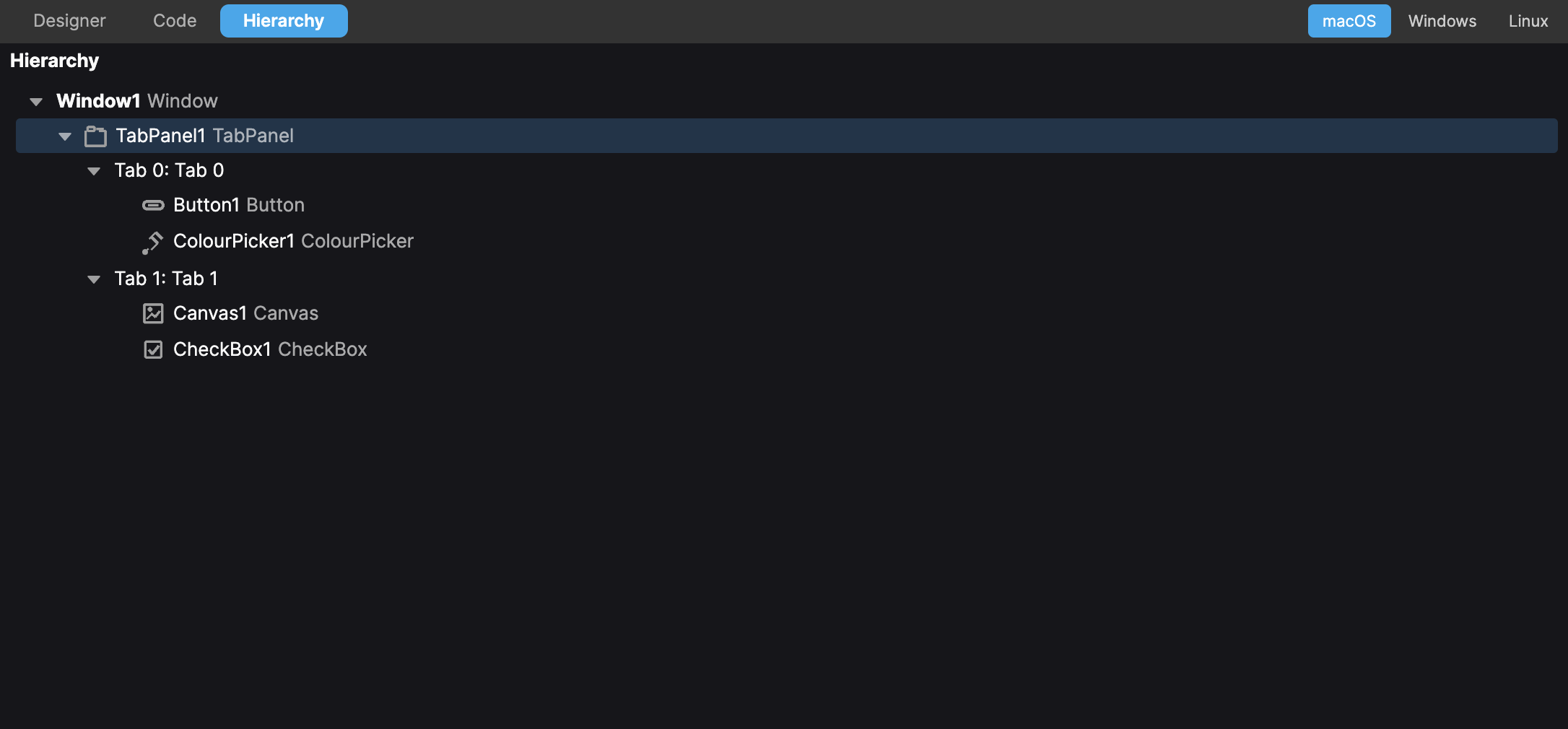
A requested feature was to show all controls on a window or ContainerControl as a hierarchy to make it easier to see their relationship to one another. This is particularly helpful for TabPanels where you may have multiple controls on a tab. The hierarcy view lets you see all of them in a tree view rather than having to click each tab header individually.
Improved code editor syntax styling
It’s now possible to set whether a particular token (e.g. keyword, string, etc) is bold, italic or underline so you can further customise the look of your editor.
Pragma filtering
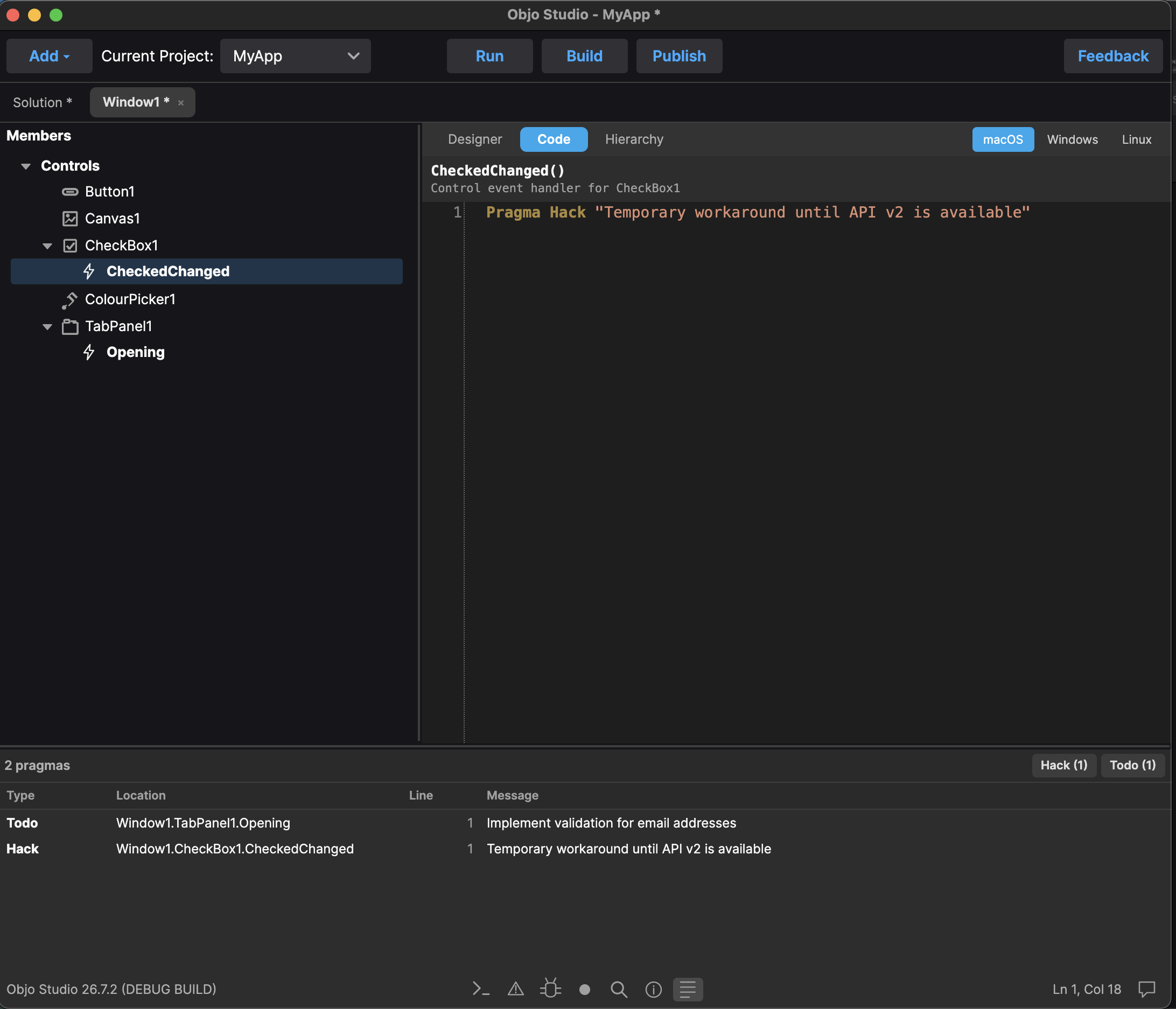
Pragmas are an awesome way in Objo to mark something as needing attention. Maybe it’s a warning or note to yourself to come back and improve an area of code. The Pragma panel at the bottom of the IDE has been improved to allow you to filter by pragma type.
Lets say you have a line of code that’s a bit of a hack, you could write in that method:
Pragma Hack "Temporary workaround until API v2 is available"
Or maybe you just want to note that you need to come back to an area of code later:
Pragma Todo "Implement validation for email addresses"
These would now show up in the Pragma panel when you analyse the project like this:
General IDE visual improvements
We’ve improved the icons used in the IDE and generally polished the edges of the application.
Objo Studio is available to download for free. The full list of changes can be found here.