I’m pleased to announce the immediate release of Objo Studio v26.6.8. I sound a little like a broken record but this release might be our best one yet!
Most importantly, as always, all reported bugs have been fixed (40 in total).
I’m going to call out seven new features out of the seventeen added in this release:
- Game creation foundations
- New
Splittercontrol - UI control library improvements
- Bitwise Integer operations
- New visual designer layout tools
- New icons & IDE polish
- Serial device support
Game creation foundations
26.6.8 adds a set of foundations for tile-based and game-like canvas apps. The existing GameCanvas control can now render native TileLayers from tileset images or bundled image assets, including orthogonal and isometric projections, layered drawing, CSV map loading, solid-tile flags, hit-testing, and tile render diagnostics.
A new engine-level PathGrid class provides deterministic A* pathfinding over blocked grid cells, returning routes as Array(Of Vector2). GameCanvas also gained better frame/render diagnostics and camera clamping within world bounds, while AudioPlayer.LoadResource() now loads bundled audio resources safely from the deployed resources folder. The new bundled “Tile Pathfinder” example app demonstrates these pieces together.
More specifically:
- Added
PathGrid: blocked-cell A* pathfinding, optional diagonal movement, resize/clear/set blocked cells, deterministic routes, empty result when no path exists. - Added
TileLayerand TileProjection which provides native tile rendering onGameCanvas - Extended
GameCanvas: Multiple new members includingDrawnTileCount,DrawnSpriteCount,ActualFrameRate, tile-layer removal APIs, better world-bound camera clamping and lower-overhead Skia image loading/caching. - Extended the
AudioPlayerclass includingLoadResource(relativePath)for bundled app audio, rejecting absolute paths and".."traversal.
New Splitter control
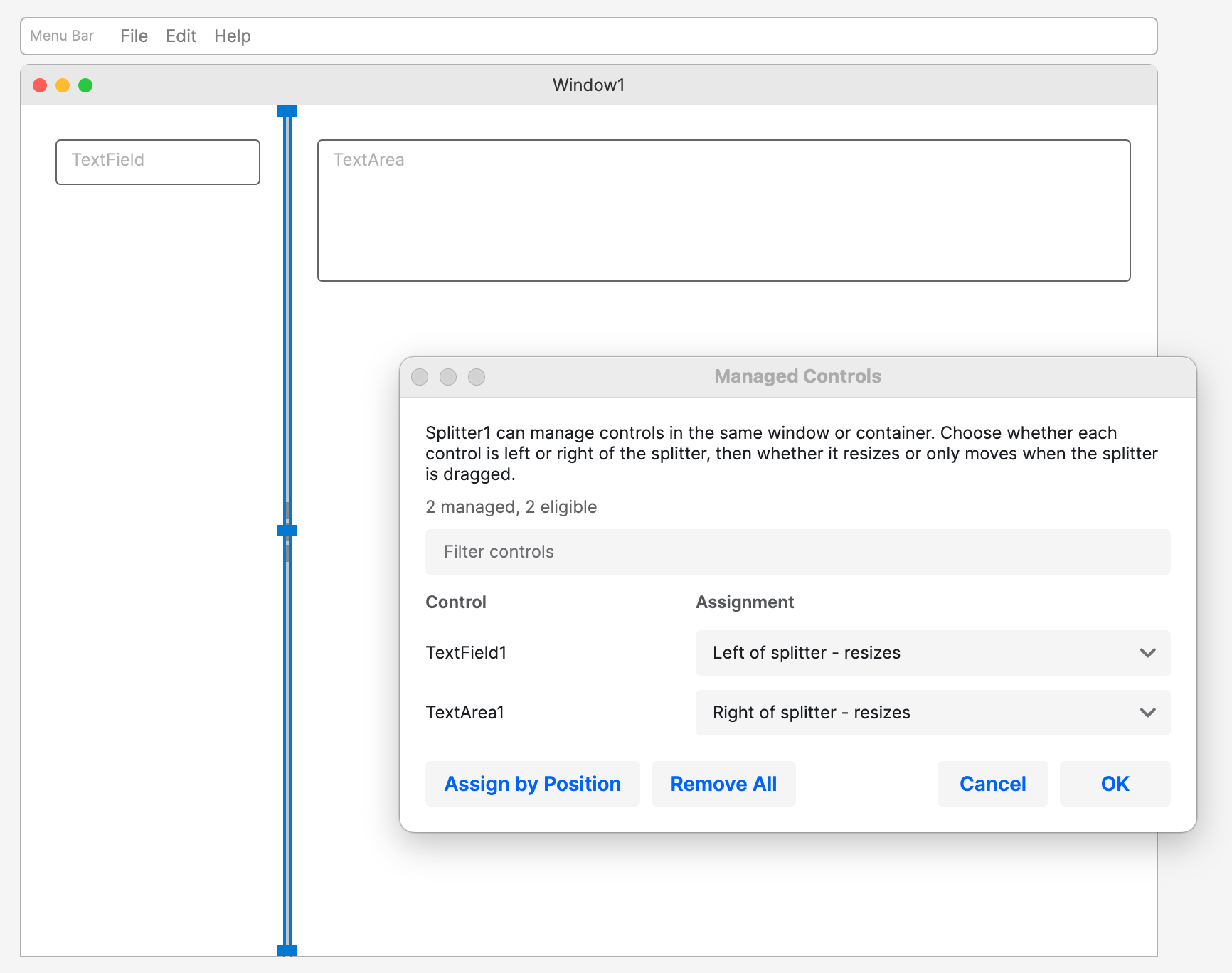
Added a Splitter desktop control for user-resizeable panes. It supports vertical or horizontal dragging, live or preview dragging, minimum before/after sizes, drag increments, and events for drag start, position changes, and drag finish. Splitters can manage controls on either side, either resizing them or moving them without resizing. Studio’s designer also has splitter-specific inspector tooling, including automatic “assign by position” support.
UI control library improvements
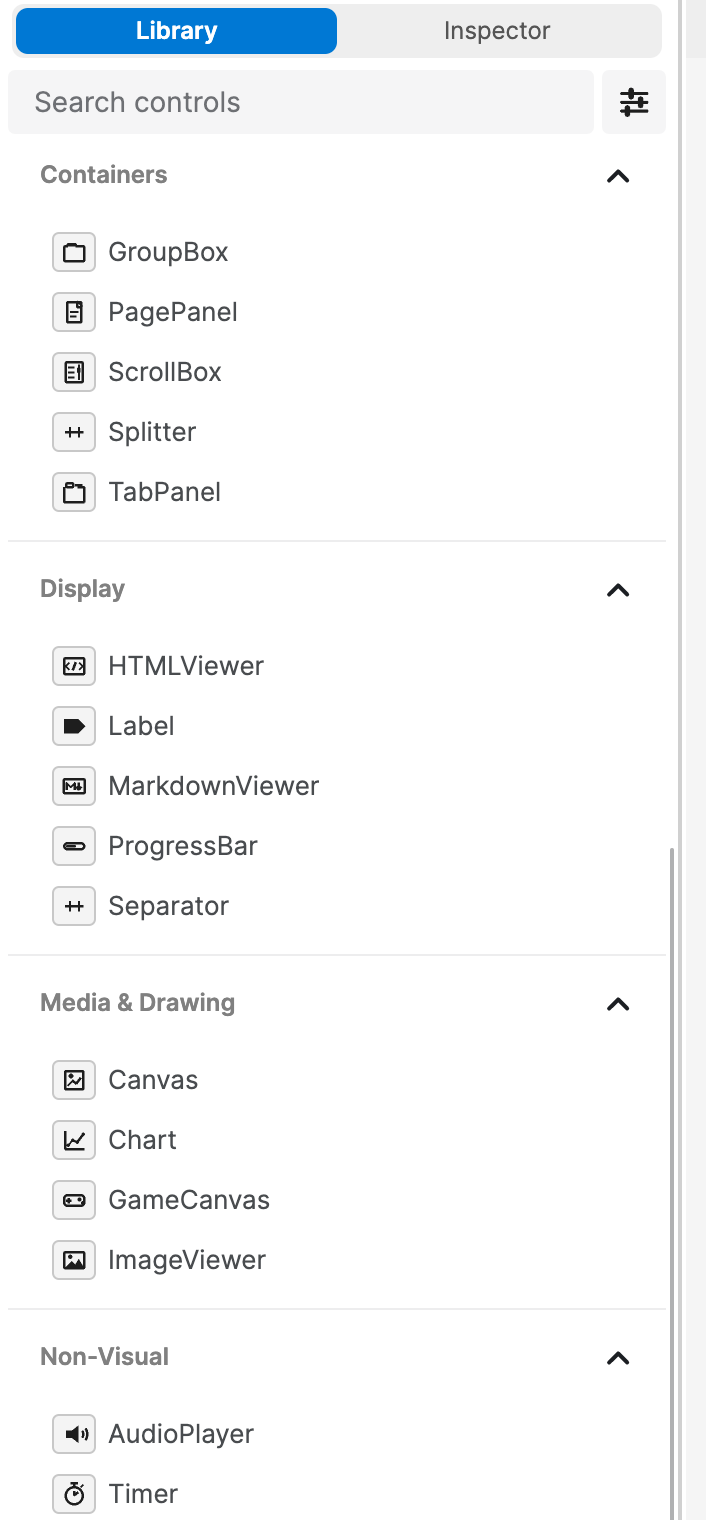
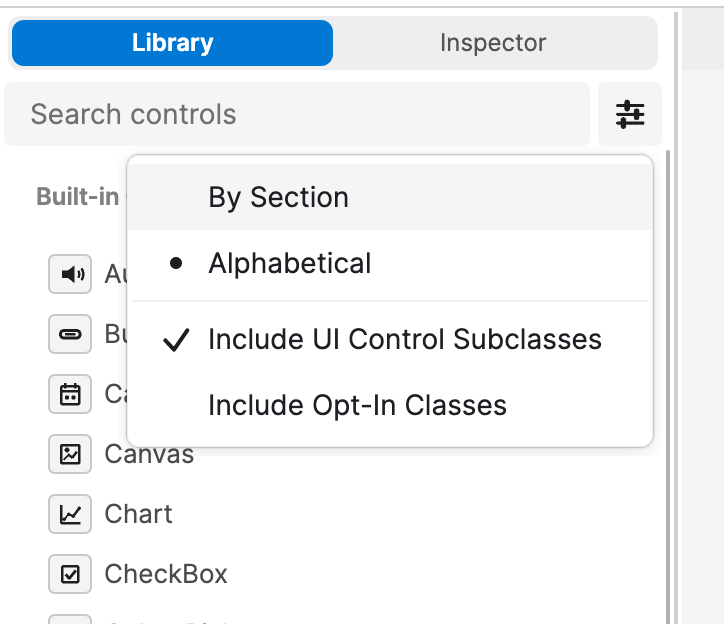
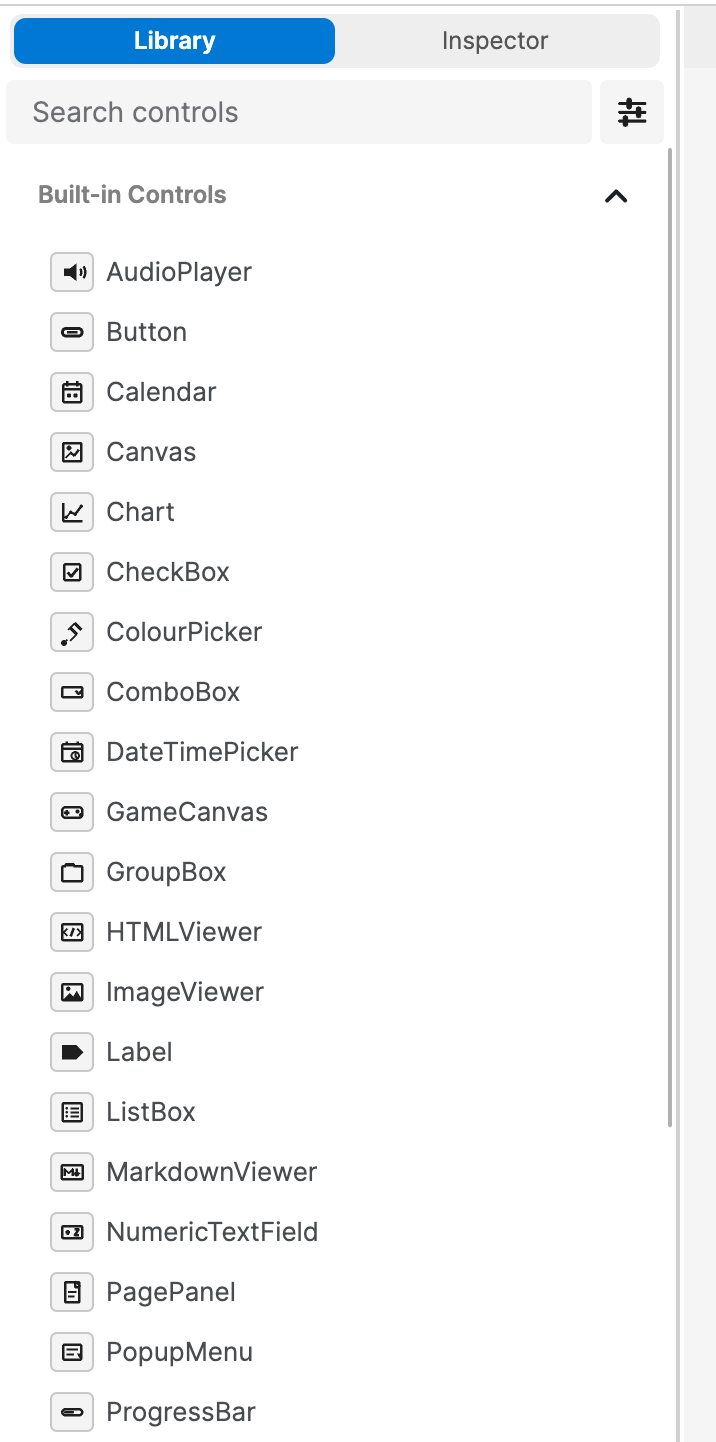
The visual designer’s control library is now more useful and configurable. Built-in controls are alphabetised, can be shown alphabetically or by sections, and now include richer themed icons. The library can also show project-defined UI control subclasses and opt-in project components, with settings saved in project metadata. A new search bar at the top of the library covers both control names and custom-control base types.
Bitwise Integer operations
Integer now has explicit bitwise methods: BitAnd(), BitOr(), BitXor(), BitNot(), ShiftLeft(), and ShiftRight(). These use signed 64-bit two’s-complement behaviour, with shift counts constrained to 0…63. This gives Objo a clear way to work with flags, masks, binary protocols, and low-level data without overloading logical And, Or, Xor, and Not.
New visual designer layout tools
The designer gained an icon-based layout toolbar with commands for locking/unlocking selected controls, filling horizontally or vertically, aligning edges, distributing spacing, and changing z-order. Hosted child controls also have a “Fill Parent” command. The tools respect locked and non-visual controls, support undo, and work within the correct parent/container scope.

New icons & IDE polish
26.6.8 includes new icons for solution navigator items, properties and methods. New control-specific palette icons, icon buttons in the designer toolbar, theme preview icons, and a lock icon for readonly completions. We’ve also polished icon alignment, light/dark icon backgrounds, designer preview theming, and selection/locked-control chrome.
Serial device support
Added a new serial API for talking to serial and USB-serial devices. SerialDevice discovers available ports and exposes metadata such as port name, manufacturer, USB IDs, serial number, and transport type. SerialConnection supports sync and async opening, text and binary reads/writes, line-based reads, exact byte reads, timeouts, cancellation, control line state, break control, and events for data, line-state changes, errors, and close. A serial-specific SerialException and enums cover common port errors and configuration options.
Objo Studio 26.6.8 is available right now for free: Download.
The full changelog can be found here.