Objo Studio 26.6.5 is now available, and this really is a big one.
The full changelog includes 28 fixes and 18 new features / improvements, but I wanted to call out four changes in particular.
Avalonia 12
Objo Studio has moved to Avalonia 12.
This is mostly an under-the-hood change, but it matters a lot. Avalonia is the cross-platform UI framework that powers Studio itself, the visual designer, the desktop app host, and the Remote Debugger. Keeping Objo on the current Avalonia foundation gives us a stronger base for future controls, better platform behaviour, performance work, accessibility improvements, and long-term desktop support across macOS, Windows, and Linux.
That said, major framework migrations can bring bugs. This touched a lot of surface area: windowing, focus, keyboard input, menus, rendering, themes, layout, and native platform integration. I’ve tested it carefully, but if you notice any visual weirdness or behaviour that feels different in 26.6.5, please let me know in the forums.
Debugger watchpoints
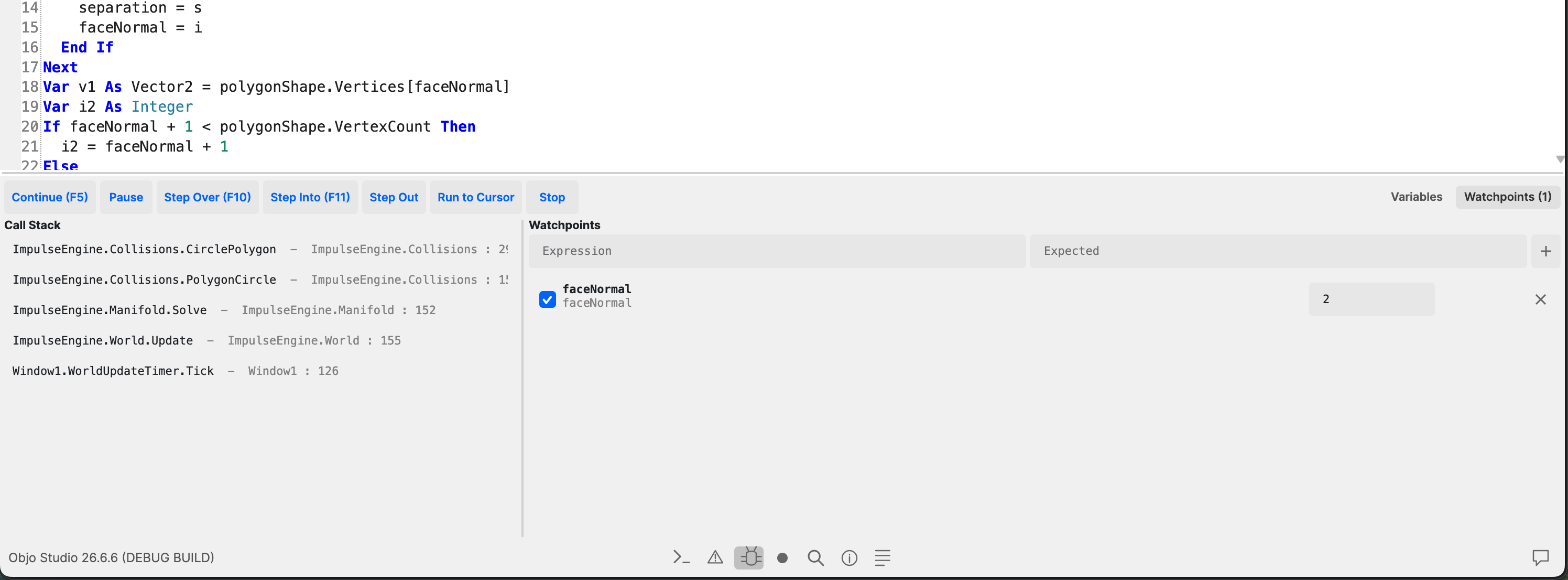
Objo Studio already had conditional breakpoints, which let you pause on a specific line only when a condition is true.
26.6.5 adds watchpoints too. These let you tell the debugger to pause when an expression reaches an expected value.
That’s useful when you know something bad eventually happens, but you don’t yet know exactly where. Instead of scattering breakpoints through your code, you can watch a value and let Studio stop when it becomes interesting.
Multiline strings
ObjoBasic now supports triple-quoted multiline strings:
Var sql As String = """
  SELECT id, name
  FROM people
  WHERE active = TRUE
  """
This makes a lot of everyday code nicer to write: SQL queries, JSON, templates, help text, test data, and any other string where escaping line breaks used to get in the way.
Interpolated multiline strings are supported too:
Var message As String = $"""
  Hello {name}
  You have {count} messages.
  """
Mark your own APIs as deprecated
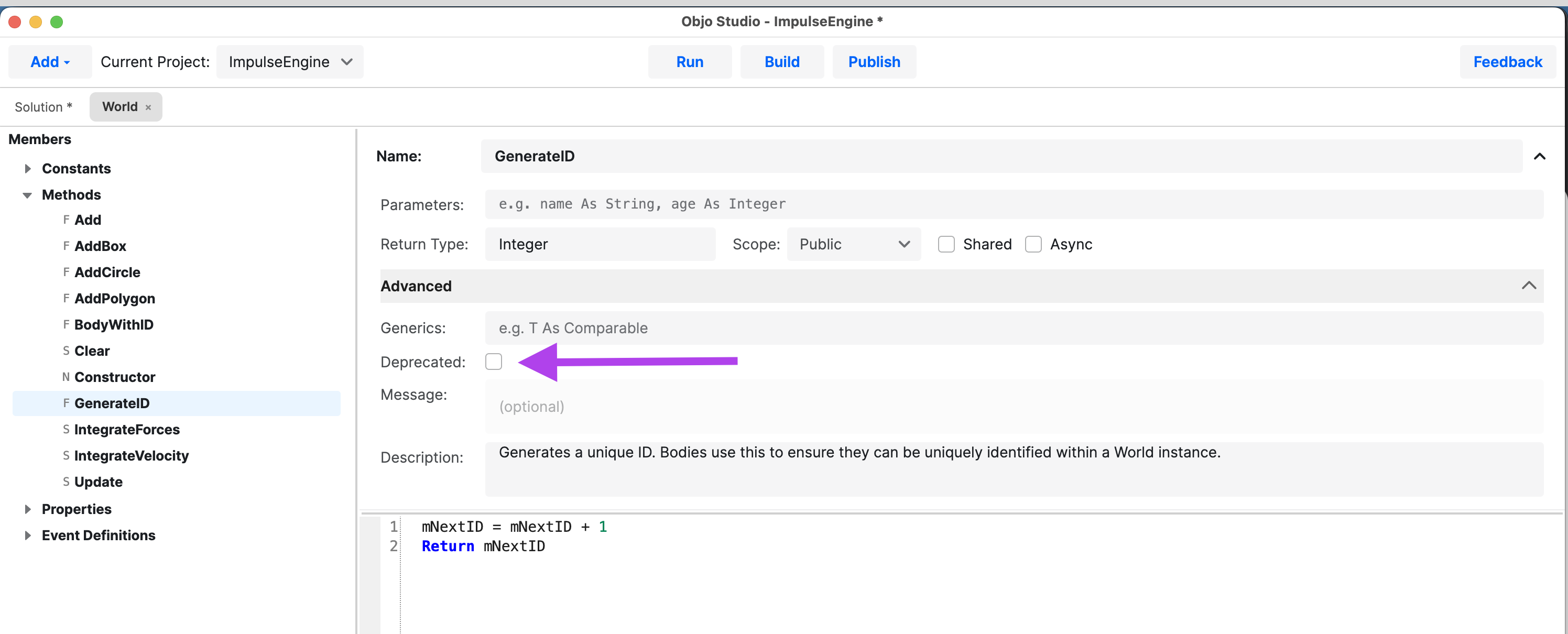
You can now mark your own types and members as deprecated in the IDE.
When deprecated APIs are used, Studio reports analyser warnings at the call site.
This is handy for larger projects, shared modules, and any codebase where you want to move an API forward without breaking everything immediately. You can keep the old member around, guide yourself or other developers toward the replacement, and clean things up over time.
You can download Objo Studio 26.6.5 from the usual download page. The full changelog is available too.