I will be dead until then, but… for younger here !
Nah - and there is an app for AI model training. Search Xcode help for AI.
The next decade is gonna be wild!
If you want to get a jump on AI, check out the JetBrains IDEs. AI in PHPStorm is incredibly helpful for where I know what I want to do, but maybe not the best way to do it. So I’ll ask the best question I can, tweak, and once I have something useful, I’ll ask if that’s the best way or most efficient way. Amazing.
Same for me with JavaScript/TypeScript in WebStorm. Outside of the IDE, I find that ChatGPT has almost completely replaced Googling for answers to any kind of programming questions I have, or questions about Node, CSS, etc. (Doesn’t apply to Xojo questions, of course. Unfortunately.)
I am using CoPilot in Jetbrains IDE and what I can say is: nice. The Code Completion is really good and the code suggestions are relly good. What shall I say. I am using it every day and it saves me a lot of time in coding. Makes coding faster and the code is reliable. But take care. You still need to read the code and to work on your code and algorithms. But hey, nothing is for free.
The next thing I want to try is give an AI a sql table definition, meta data for each column, and a code template and then have it generate the code for the table.
I have code to do that now by looping and find / replacing.
I’m now trying to find a local AI and teach it… Any suggestions are welcome!
This is interesting development for XCode.
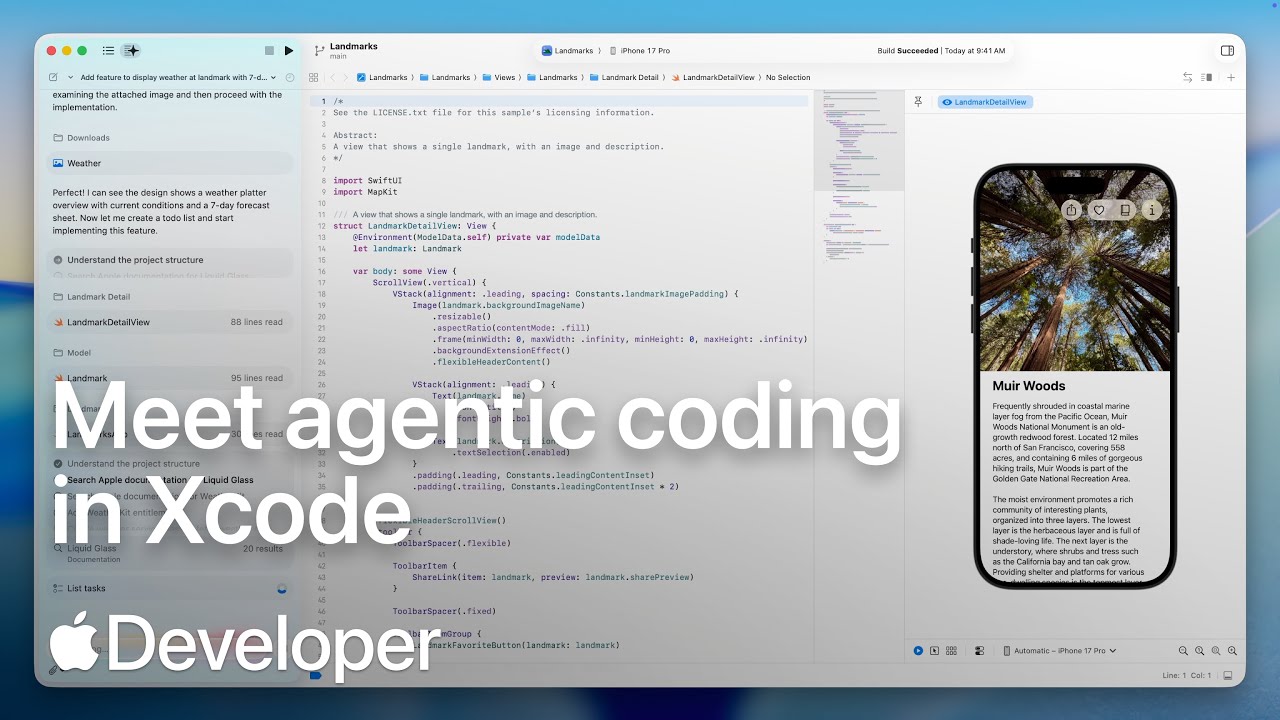
I’ve been trying out AI in Xcode since yesterday. I’ve had it generate an app that is nearly identical in function to my hand-coded RayTrace app, but with some improvements that would have taken me some time to implement myself. This new version is already iOS 26-compatible, has a document-based architecture, and adjusts its display to account for different size iPads. it also works well in iPad compatibility mode on macOS.
The biggest changes I made to the AI-generated code were to refactor the code in Xcode to make navigating through it more manageable, and add documentation.
While the app is not perfect yet — the text size is too small (but can be scaled through Settings’ Accessibility options) and there are still a couple of quirks in the plot for edge cases — I’m very impressed that AI was able to do this much so quickly.
Chris Ching (codewithchris) re-distributed a video tutorial for Xcode 26 that covers also the AI integration. Impressive!

This is really solid. Apple’s AI integration looks much better than the one of that IDE with a 4-letter name.
That’s a super low bar.
Apple has dozens of developers working on the IDE or at least IDE-adjacent. That 4 letter company has, what, 5 developers working on the entire product line? It’s not really a fair comparison.
Sadly it might still be too high
indeed
its been at 5 pretty much since 2005/2006
Dont recall how many there were before that but I think it was more than 5
it is a vicious cycle.
Not enough engineers = Not enough sales = Not enough engineers…
They have Genius. He outperforms 100 Apple engineers, easily. 
You got that wrong… He might perform 100 Banana engineers…. but those are all 
OMG theres that German style humour again !