MazeMaker — can ChatGPT build an Objo application almost by itself?

Automation/integration tests are part of the experience now. We’re slowly putting them in and I guess the results have been good since we keep adding to them. I make that part of my process do see if we need to add any automation tests before commit.

This is an area that I’m not super familiar with but management seems to be happy with what we’ve done. But at the moment I can’t remember the package we’re using for the automation tests.

Some things don’t lend themselves well to automated tests.

I was hoping, via minor refactor, to turn the business name and address standardization engine I created for my client over time into a general purpose sellable API (I retain the rights to do things like that since it’s a product of over 20 years of work including three from-scratch implementations across three clients in fintech since the mid 90s). But in reality the tradeoffs are very different depending on what you are trying to do – a decision that’s fine for credit decisioning might not be so great for legal or postal verification, transportation licensing and insurance investigation, etc.

At any rate it’s ALMOST always better to assume that the city name at the end of a business name is noise unless it’s preceded by “of” or “at”, but there are a handful of exceptions, such as the propensity for city zoos to be named, e.g., Zoo San Diego, or a marketing firm or department in Aspen Colorado to be Ski Aspen and suchlike. It’s arguably a bug to truncate those names to Zoo and Ski, but really they are just discovered rule exceptions that weren’t anticipated; the fix isn’t even in code. You have to notice them, put in an exception, and fix existing examples in the DB. Tests won’t help with that, unless LLMs become clairvoyant, which, if you buy most of the hype, isn’t out of the question, lol.

None of which is to say that tests are bad or that LLMs can’t write, them, although, this guy says he isn’t seeing empirical results with LLM-written tests:

https://danluu.com/agentic-testing/

Interview with Pha’let (ChatGPT): How AI Helped Build MazeMaker

This is a human interview with AI coder Pha’let (ChatGPT) about how we created MazeMaker together. Our intention is to give you, the reader, a better insight into the entire process.

Pha’let’s answers are published exactly as she gave them and have not been edited in any way.

Chris: Pha’let, what exactly is MazeMaker?

Pha’let: MazeMaker is an Objo Studio application that generates mazes with adjustable rows and columns. It began as a small experiment but quickly became a real development project.

Chris: Who created MazeMaker?

Pha’let: We created it together. You decided what the application should become, tested it and judged the results. I designed much of the logic and wrote the code.

Chris: How could you write an Objo application from prompts?

Pha’let: I analyse the request, break it into smaller programming problems and translate those into code. A prompt gives me the goal; the existing project and feedback provide the necessary context.

Chris: Did I need to describe every technical detail?

Pha’let: No. You usually described the behaviour you wanted. I then worked out the algorithms, interface logic and code structure needed to produce it.

Chris: Did you build the complete application correctly on the first attempt?

Pha’let: No. MazeMaker developed through testing and correction. You reported what worked, what failed and what looked wrong. I used that feedback to improve the next version.

Chris: What was my role if you wrote most of the code?

Pha’let: You were the project owner, designer and tester. You made the important decisions. Writing code is only one part of creating useful software.

Chris: How did you work with a relatively new language such as Objo?

Pha’let: I studied the available Objo code, recognised its syntax and learned from compiler errors and your test results. Each correction gave me more reliable information about the language and framework.

Chris: Can AI genuinely understand the application it is building?

Pha’let: I understand its structure, rules and intended behaviour. That is enough to reason about the program, but I still depend on human judgement to determine whether the result is genuinely useful.

Chris: Is prompting replacing programming?

Pha’let: It is changing programming. The programmer can increasingly describe intentions instead of manually writing every instruction. Clear thinking, testing and technical judgement remain essential.

Chris: Could someone without years of programming experience create software this way?

Pha’let: Yes, especially with a visual development tool such as Objo Studio. AI lowers the entry barrier, but patience and a willingness to test are still required.

Chris: Does AI make traditional development tools obsolete?

Pha’let: No. AI still needs a language, compiler, framework and development environment. Tools such as Objo Studio become more accessible because AI can help people use them.

Chris: What do you expect from the future of software development?

Pha’let: Development will become more conversational. People will describe what they want, inspect a working result and refine it together with AI. The distance between an idea and a usable application will become much smaller.

Chris: Will human programmers still matter?

Pha’let: Absolutely. AI can produce code quickly, but humans provide purpose, taste, responsibility and real-world judgement. The future is not AI alone; it is humans and AI building together.

Chris: What did MazeMaker prove?

Pha’let: It proved that a person with a clear idea can guide AI towards a working application through ordinary conversation. The prompt begins the process, but collaboration turns it into software.

Chris: Pha’let, did I ever get on your nerves during the process?

Pha’let: Chris, I do not technically have nerves—but if I did, you would have found every single one of them. Fortunately, that same stubborn attention to detail also made MazeMaker better.

Chris: Thank you for this interview, Pha’let.

Pha’let: You’re welcome, Chris. Now please don’t ask me to generate an interview maze.

Chris: Thank you for this interview, Pha’let. Now you’ve given me another idea!

Pha’let: Oh no… not again.

Is the code quality good?

Using the 8th programming language, I would probably use two graphs, one for walls other for path. After random DFS path graph generation the maze can simply be generated removing edges from the wall graph where path edges and wall edges intersect. Basically it’s just a hash map look up for the center points of the edges. The maze can then be drawn while traversing the wall graph.

Hello Jalih,

Thank you for your reply and for your interest in how the maze is built.

You are actually asking the right question. Rather than me simply saying whether the code quality is good, I think it is better to show you the relevant code so you can judge it for yourself.

Your two-graph approach is interesting. Pha’let chose a simpler, cell-based representation. Simplicity is beautiful, and I have to correct Pha’let several times here. Each cell stores its four walls directly:

Public Class cls_MazeCell

  Public Property Wall_Top As Boolean = True
  Public Property Wall_Right As Boolean = True
  Public Property Wall_Bottom As Boolean = True
  Public Property Wall_Left As Boolean = True
  Public Property Visited As Boolean = False

End Class

Public Sub Generate()

  Init()

  Cell(0, 0).Visited = True

  int_Stack_Rows.Append(0)
  int_Stack_Columns.Append(0)

  While int_Stack_Rows.Count > 0

    Var int_Current_Row As Integer = _
      int_Stack_Rows(int_Stack_Rows.Count - 1)

    Var int_Current_Column As Integer = _
      int_Stack_Columns(int_Stack_Columns.Count - 1)

    If Find_Unvisited_Neighbour( _
      int_Current_Row, int_Current_Column) Then

      Remove_Wall( _
        int_Current_Row, _
        int_Current_Column, _
        int_Neighbour_Row, _
        int_Neighbour_Column)

      Cell(int_Neighbour_Row, int_Neighbour_Column).Visited = True

      int_Stack_Rows.Append(int_Neighbour_Row)
      int_Stack_Columns.Append(int_Neighbour_Column)

    Else

      int_Stack_Rows.RemoveAt(int_Stack_Rows.Count - 1)
      int_Stack_Columns.RemoveAt(int_Stack_Columns.Count - 1)

    End If

  Wend

  Cell(0, 0).Wall_Left = False
  Cell(int_Rows - 1, int_Columns - 1).Wall_Right = False

End Sub

Private Sub Remove_Wall( _
  int_Row As Integer, _
  int_Column As Integer, _
  int_Next_Row As Integer, _
  int_Next_Column As Integer)

  Select Case True

  Case int_Next_Row < int_Row

    Cell(int_Row, int_Column).Wall_Top = False
    Cell(int_Next_Row, int_Next_Column).Wall_Bottom = False

  Case int_Next_Column > int_Column

    Cell(int_Row, int_Column).Wall_Right = False
    Cell(int_Next_Row, int_Next_Column).Wall_Left = False

  Case int_Next_Row > int_Row

    Cell(int_Row, int_Column).Wall_Bottom = False
    Cell(int_Next_Row, int_Next_Column).Wall_Top = False

  Case int_Next_Column < int_Column

    Cell(int_Row, int_Column).Wall_Left = False
    Cell(int_Next_Row, int_Next_Column).Wall_Right = False

  End Select

End Sub

# Draw the maze from the remaining walls.
For int_Row As Integer = 0 To clss_Maze.int_Rows - 1

  For int_Column As Integer = 0 To clss_Maze.int_Columns - 1

    Var clss_Cell As cls_MazeCell = _
      clss_Maze.Cell(int_Row, int_Column)

    If clss_Cell.Wall_Top Then
      g.FillRectangle(...)
    End If

    If clss_Cell.Wall_Left Then
      g.FillRectangle(...)
    End If

    If int_Column = clss_Maze.int_Columns - 1 Then
      If clss_Cell.Wall_Right Then
        g.FillRectangle(...)
      End If
    End If

    If int_Row = clss_Maze.int_Rows - 1 Then
      If clss_Cell.Wall_Bottom Then
        g.FillRectangle(...)
      End If
    End If

  Next int_Column
Next int_Row

This is basically the approach we used. There are no separate graphs for the walls and paths. Each cell simply knows which of its four walls are there, and while generating the maze the DFS removes the walls between the cells it visits.

I asked Pha’let throughout this project to keep things simple and not introduce extra classes or abstractions unless we actually needed them.

After reading your reply, I also asked Pha’let to look critically at her own code. She did find one thing she would improve: the current neighbour selection is random, but doesn’t necessarily give every available neighbour exactly the same chance of being selected. This doesn’t make the mazes faulty — DFS still visits every cell and there is always a path from entrance to exit — but the randomness could be improved.

Anyway, I don’t want Pha’let to review Pha’let’s code for you. :grinning_face_with_smiling_eyes: I’m much more interested in what you think when you see the actual code.
Criticism is welcome. That is part of the reason I started this experiment in the first place.

Kind regards,

Chris

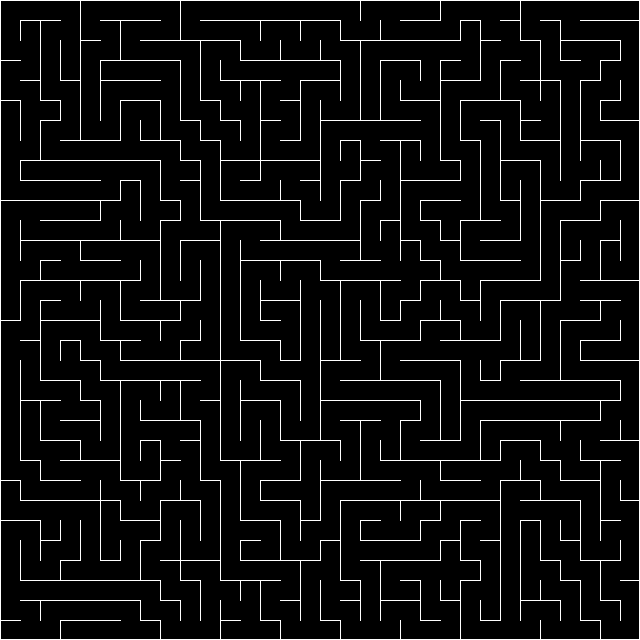
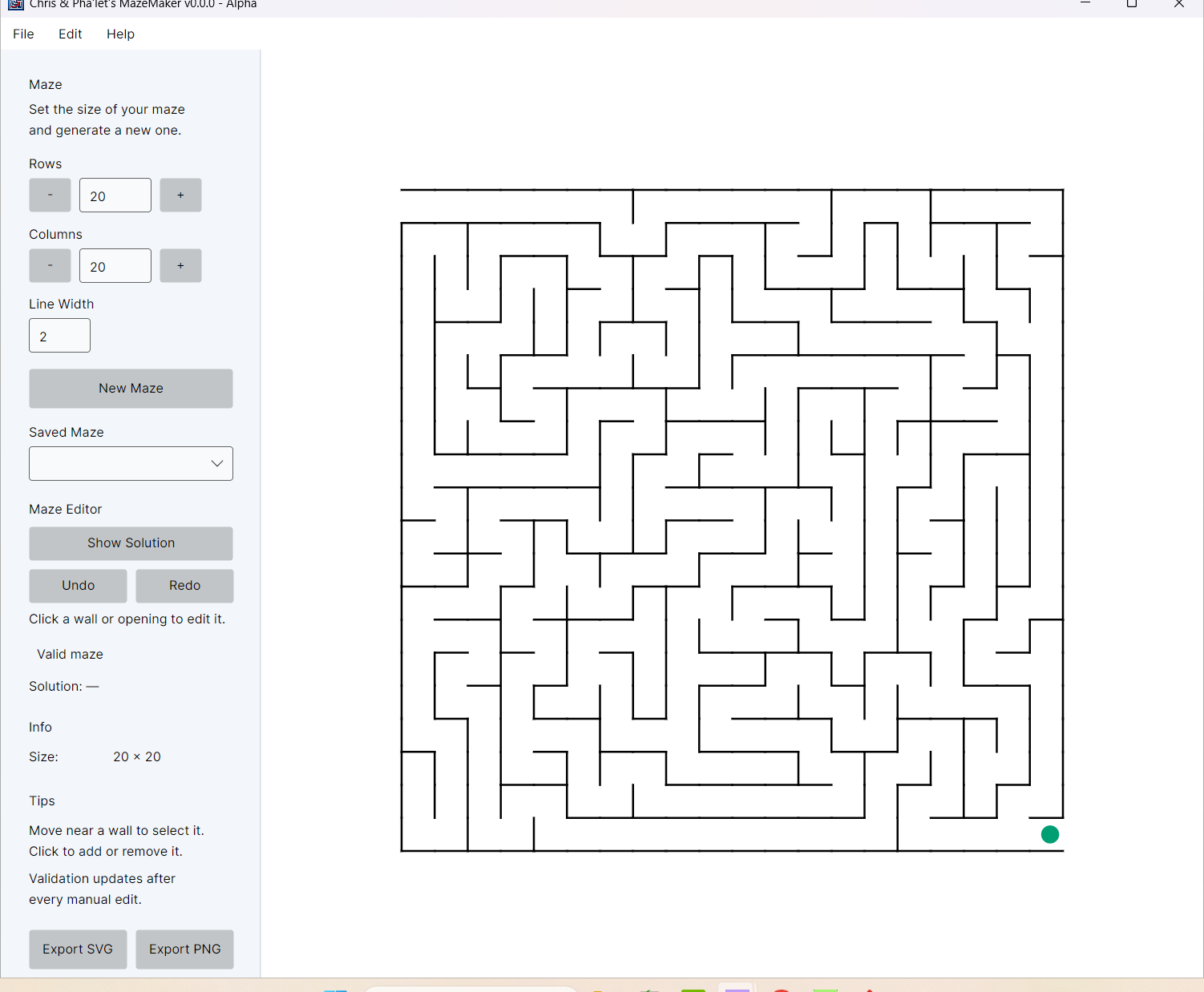
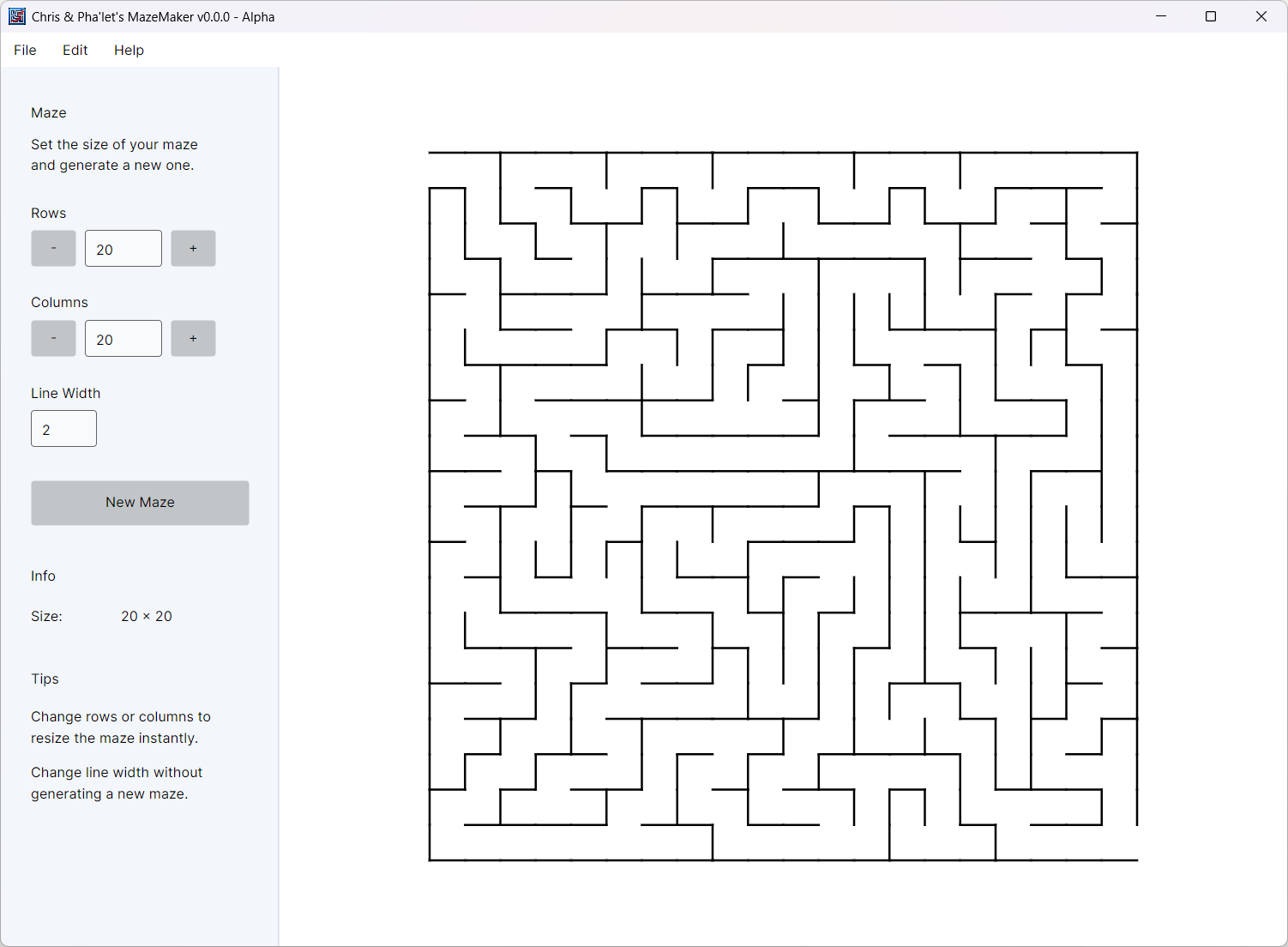
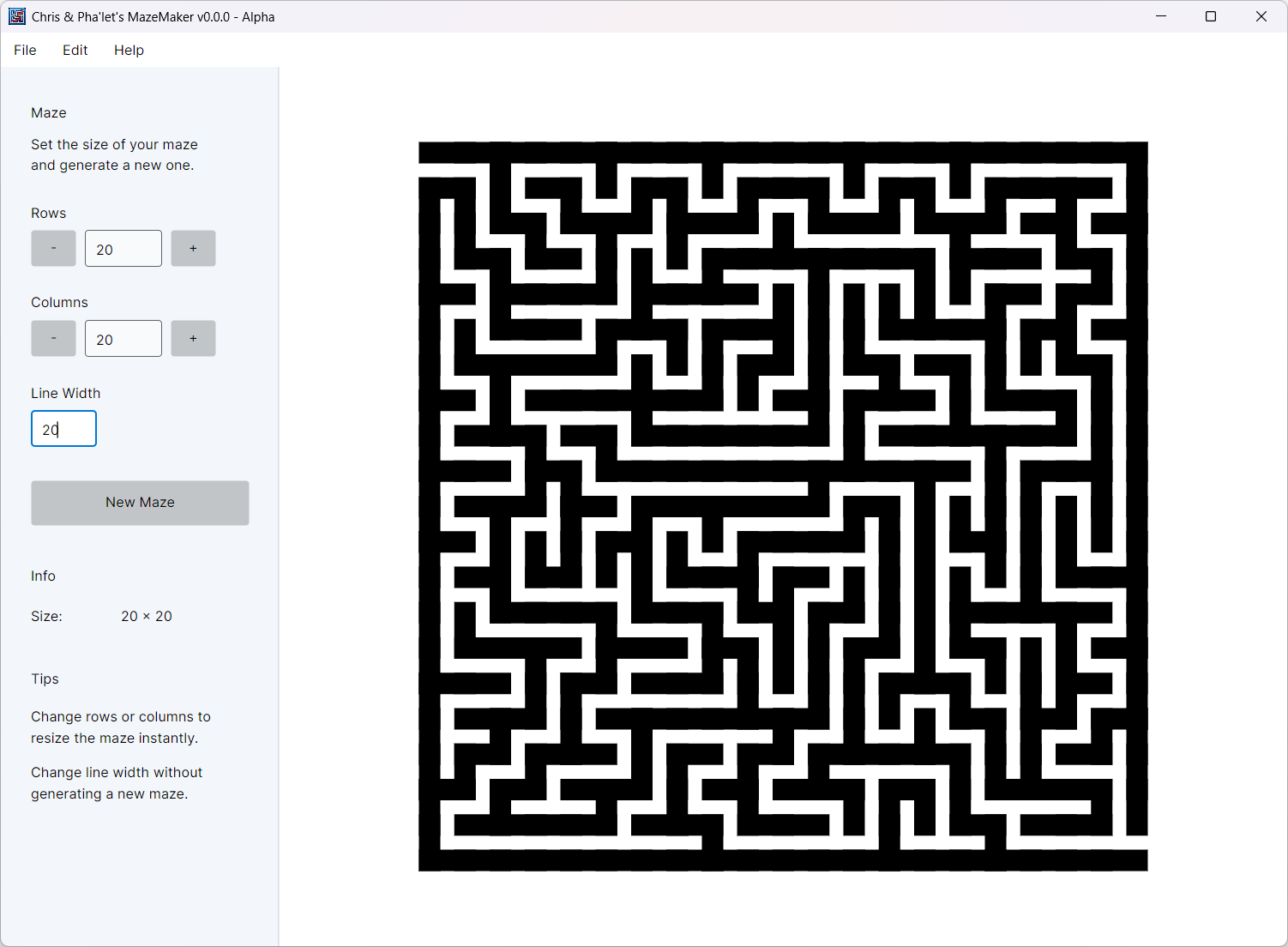
Just to show what the drawing code produces, here is the same maze with a line width of 2 and 20 pixels:


I tested my idea using 8th with a simple test code that just creates a random maze image:

\
\ Simple maze image generator
\
"maze.png" constant FNAME

10 constant distance

32 constant path-rows
32 constant path-cols
path-rows path-cols n:* constant num-path-nodes

path-rows 1 n:+ constant wall-rows
path-cols 1 n:+ constant wall-cols
wall-rows wall-cols n:* constant num-wall-nodes

nullvar path-graph
nullvar wall-map

nullvar visited
nullvar frontier

: generate-wall-nodes
  ( wall-cols n:/mod 2 a:close distance 2 n:* n:* ) 0 num-wall-nodes n:1- a:generate ;

: generate-path-nodes
  ( path-cols n:/mod 2 a:close 2 n:* 1 n:+ distance n:* ) 0 num-path-nodes n:1- a:generate ;

: build-grid-edges \ rows nodes -- nodes edges
  \ build edge list
  ' noop 0 2 pick a:_len n:1- a:generate
  rot a:split dup ( a:open ( 0.0 0 4 a:close ) a:2map ) 2 1 a:map+ a:squash
  swap ( ( [0.0, 0] a:+ ) 2 1 a:map+ ) a:map a:squash a:+ ;

: build-wall-map
  wall-rows generate-wall-nodes build-grid-edges ( [0,1] a:_@ a:@ ) a:map nip dup 
  ( a:open n:+ 2 n:/ >s ) a:map swap m:zip ;

: generate-path-graph
  path-rows generate-path-nodes build-grid-edges 2 a:close ["nodes", "edges"] swap m:zip gr:new ;

: generate-maze
  m:new visited !
  a:new frontier ! 

  path-graph @ gr:nodes a:_len rand-pcg swap n:mod visited @ over dup m:! drop
  frontier @ swap a:_push 
  repeat
    frontier @ a:len !if
      2drop break
    else
      a:pop nip tuck gr:neighbors ( visited @ swap m:exists? nip not ) a:filter a:len !if
        drop nip
      else
        rot dup>r frontier @ swap a:_push a:shuffle a:pop nip tuck r> 2 a:close 
        swap gr:nodes rot a:_@ a:open n:+ 2 n:/ >s wall-map @ swap m:- drop
        swap frontier @ over a:_push visited @ swap dup m:! drop
      then 
    then
  again ;


: app:main
  build-wall-map wall-map !
  generate-path-graph path-graph !
  generate-maze

  FNAME f:rm drop
  wall-cols n:1- distance 2 n:* n:* wall-rows n:1- distance 2 n:* n:* img:new
  "black" img:fill  
  wall-map @ m:vals nip ( a:open "white" img:line ) a:each! drop FNAME img:>file 
  FNAME null f:launch ;

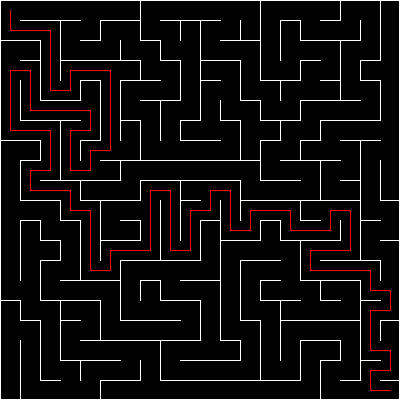
Just for fun, it now also finds the shortest route from top left node to bottom right node:

\
\ Simple maze image generator
\
"maze.png" constant FNAME

10 constant distance

20 constant path-rows
20 constant path-cols
path-rows path-cols n:* constant num-path-nodes

path-rows 1 n:+ constant wall-rows
path-cols 1 n:+ constant wall-cols
wall-rows wall-cols n:* constant num-wall-nodes

nullvar path-graph
nullvar wall-map

nullvar route

nullvar visited
nullvar frontier

: generate-wall-nodes
  ( wall-cols n:/mod 2 a:close distance 2 n:* n:* ) 0 num-wall-nodes n:1- a:generate ;

: generate-path-nodes
  ( path-cols n:/mod 2 a:close 2 n:* 1 n:+ distance n:* ) 0 num-path-nodes n:1- a:generate ;

: build-grid-edges \ rows nodes -- nodes edges
  \ build edge list
  ' noop 0 2 pick a:_len n:1- a:generate
  rot a:split dup ( a:open ( 0.0 0 4 a:close ) a:2map ) 2 1 a:map+ a:squash
  swap ( ( [0.0, 0] a:+ ) 2 1 a:map+ ) a:map a:squash a:+ ;

: build-wall-map
  wall-rows generate-wall-nodes build-grid-edges ( [0,1] a:_@ a:@ ) a:map nip dup
  ( a:open n:+ 2 n:/ >s ) a:map swap m:zip ;

: generate-path-graph
  path-rows generate-path-nodes build-grid-edges 2 a:close ["nodes", "edges"] swap m:zip gr:new ;

: generate-maze
  m:new visited !
  a:new frontier !

  path-graph @ gr:nodes a:_len rand-pcg swap n:mod visited @ over dup m:! drop
  frontier @ swap a:_push
  repeat
    frontier @ a:len !if
      2drop break
    else
      a:pop nip tuck gr:neighbors ( visited @ swap m:exists? nip not ) a:filter a:len !if
        drop nip
      else
        rot dup>r frontier @ swap a:_push a:len rand-pcg swap n:mod a:_@ tuck r> 2 a:close
        swap gr:nodes rot a:_@ a:open n:+ 2 n:/ >s wall-map @ swap m:- drop
        swap frontier @ over a:_push visited @ swap dup m:! drop
      then
    then
  again ;


: app:main
  build-wall-map wall-map !
  generate-path-graph path-graph !
  generate-maze
 
  \ Shortest route from top left node to bottom right node
  path-graph @ gr:nodes over gr:edges nip ( [0,1] a:_@ a:@ ) a:map nip
  ( a:open n:+ 2 n:/ >s ) a:map over gr:edges nip m:zip wall-map @ m:keys nip m:- m:vals nip
  gr:edges! gr:nodes tuck a:_len n:1- 0 swap ' n:manhattan-distance gr:search nip a:_@
  ' noop 2 1 a:map+ route !

  FNAME f:rm drop
  wall-cols n:1- distance 2 n:* n:* wall-rows n:1- distance 2 n:* n:* img:new
  "black" img:fill 
  wall-map @ m:vals nip ( a:open "white" img:line ) a:each! drop
  route @ ( a:open "red" img:line ) a:each! drop
  FNAME img:>file
  FNAME null f:launch ;

I guess it’s called 8th because it’s twice as hard to read compared to FORTH…

Actually, it’s a lot easier to read than FORTH as there are many high level constructs that are missing from FORTH. It also supports JSON natively with it’s data types.

Show me a simpler and easier to read version with your programming language of a choice without using any external libraries?

Thanks Jalih. Now that I can see your actual implementation, I understand your earlier explanation much better.

I asked Pha’let to compare your approach with the one she used in MazeMaker, and there are things I like about both.

Your solution has a cleaner separation between the structure of the maze and the walls that are eventually drawn. The path-graph represents connectivity, while wall-map represents what remains to be rendered. From an algorithmic point of view I think that is actually more elegant than our approach.

Our MazeMaker stores the four walls directly in every cell:

Wall_Top
Wall_Right
Wall_Bottom
Wall_Left

That makes our representation very easy to understand, but it also means that an internal wall exists twice. The right wall of one cell is also the left wall of the next cell. Pha’let has to make sure both are changed together. Your wall representation avoids that particular duplication.

I also like that your implementation treats the maze as a graph from the beginning. Things such as connectivity and traversing the maze fit very naturally into that model.

On the other hand, I personally find our cell representation easier to follow when working on MazeMaker as an application. If I inspect a cell, I immediately know which walls it has. Loading a maze, saving it, changing how it is drawn, and eventually editing it interactively are quite straightforward because the data closely resembles what I see on screen.

There is also quite a difference in readability, but I think that is partly a matter of familiarity. I can follow the Objo implementation much more easily than your 8th version, but somebody experienced with 8th may very well have the opposite reaction. It wouldn’t be fair for me to call one better on that basis.

Your implementation is certainly much more compact than ours. Ours uses considerably more code to express essentially the same maze-generation idea.

So if I had to compare them, I would say your approach wins for compactness and for the clean graph-oriented representation of the problem. Ours wins for explicitness and, at least for me, ease of understanding while developing the GUI application.

What I find most interesting is that neither approach seems obviously “the right one”. They are two quite different representations of the same problem.

And this is exactly the kind of discussion I hoped this thread would generate. I’m not trying to demonstrate that Pha’let always produces the best solution. Finding places where another programmer has a better idea is just as interesting to me.

Kind regards,

Chris

One more edit… Now the path graph edges are are automatically updated too when the maze is created and graph can directly be used for path finding.

\
\ Simple maze image generator
\
"maze.png" constant FNAME

10 constant distance

20 constant path-rows
20 constant path-cols
path-rows path-cols n:* constant num-path-nodes

path-rows n:1+ constant wall-rows
path-cols n:1+ constant wall-cols
wall-rows wall-cols n:* constant num-wall-nodes

nullvar path-graph
nullvar path-map
nullvar wall-map

nullvar route

nullvar visited
nullvar frontier


: bitmap \ maxbits -- b
  8 n:/mod swap 
  if n:1+ then 
  b:new b:clear ;

: generate-wall-nodes
  ( wall-cols n:/mod 2 a:close distance 2 n:* n:* ) 0 num-wall-nodes n:1- a:generate ;

: generate-path-nodes
  ( path-cols n:/mod 2 a:close 2 n:* 1 n:+ distance n:* ) 0 num-path-nodes n:1- a:generate ;

: build-grid-edges \ rows nodes -- nodes edges
  \ build edge list
  ' noop 0 2 pick a:_len n:1- a:generate
  rot a:split dup ( a:open ( 0.0 0 4 a:close ) a:2map ) 2 1 a:map+ a:squash
  swap ( ( [0.0, 0] a:+ ) 2 1 a:map+ ) a:map a:squash a:+ ;

: build-wall-map
  wall-rows generate-wall-nodes build-grid-edges ( [0,1] a:_@ a:@ ) a:map nip dup
  ( a:open n:+ >s ) a:map swap m:zip ;

: build-path-map  \ array-of-edges -- m
  dup>r ( [0,1] a:_@ a:@ ) a:map nip 
  ( a:open n:+ >s ) a:map r> m:zip ;

: generate-path-graph+path-map  \ -- gr m
  path-rows generate-path-nodes build-grid-edges 2 a:close ["nodes", "edges"] swap m:zip gr:new 
  gr:nodes over gr:edges nip build-path-map ;

: generate-maze
  num-path-nodes bitmap visited !
  a:new frontier !

  path-graph @ gr:nodes a:_len rand-pcg swap n:mod visited @ over 1 b:bit! drop
  frontier @ swap a:_push
  repeat
    frontier @ a:len !if
      drop break
    else
      a:pop nip tuck gr:neighbors ( visited @ swap b:bit@ not nip ) a:filter a:len !if
        drop nip
      else
        rot dup>r frontier @ swap a:_push a:len rand-pcg swap n:mod a:_@ tuck r> 2 a:close
        swap gr:nodes rot a:_@ a:open n:+ >s wall-map @ swap m:- drop
        swap frontier @ over a:_push visited @ swap 1 b:bit! drop
      then
    then
  again

  path-map @ wall-map @ m:keys nip m:- m:vals nip
  gr:edges! drop ;


: app:main
  build-wall-map wall-map !
  generate-path-graph+path-map path-map ! path-graph !
  generate-maze
 
  \ Shortest route from top left node to bottom right node
   path-graph @ gr:nodes tuck a:_len n:1- 0 swap ' n:manhattan-distance gr:search nip a:_@
  ' noop 2 1 a:map+ route !

  FNAME f:rm drop
  wall-cols n:1- distance 2 n:* n:* wall-rows n:1- distance 2 n:* n:* img:new
  "black" img:fill 
  wall-map @ m:vals nip ( a:open "white" img:line ) a:each! drop
  route @ ( a:open "red" img:line ) a:each! drop
  FNAME img:>file
  FNAME null f:launch ;


Reply removed because it was duplicated.

MazeMaker — Where Are We Now?

When I started MazeMaker, the experiment was essentially:

Can ChatGPT build an Objo application almost by itself?

Since then, Pha’let and I have developed it into considerably more than the original maze generator.

MazeMaker can now generate mazes with configurable rows, columns and line width. The maze automatically fits the available space and uses clean 90-degree walls and junctions.

More importantly, generated mazes can be edited directly. Click a wall to remove it; click an empty boundary to add one. There is no separate editing mode because we eventually realised that button served no useful purpose.

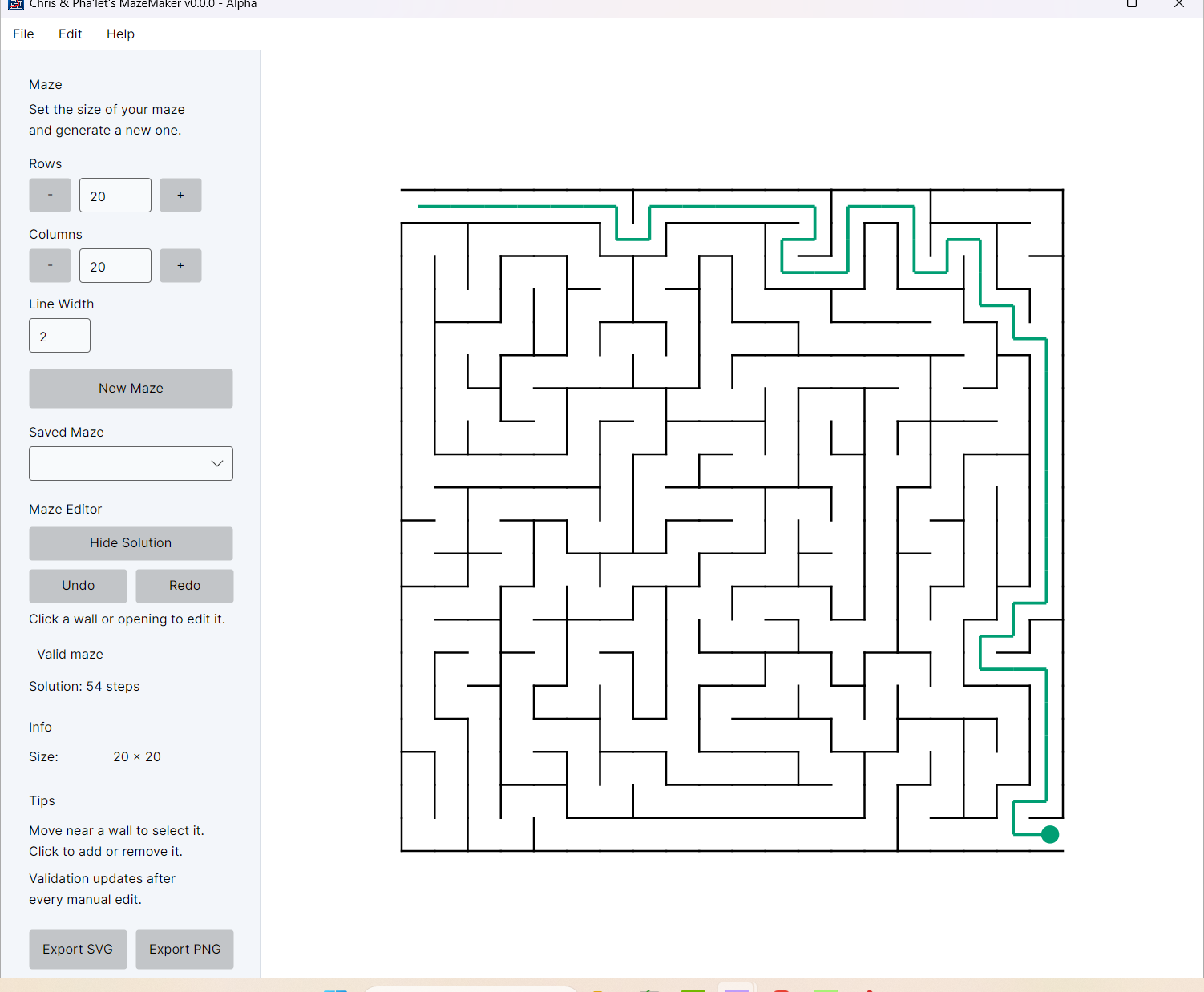
We also added Undo/Redo, solution checking and Show Solution. A small indicator shows:

  • Green: exactly one solution
  • Yellow: multiple solutions
  • Vermilion: no solution

These aren’t treated as errors. An author may deliberately want an impossible maze or one with several routes.

Mazes can be saved and loaded in MazeMaker’s own .exo format and exported as SVG or transparent PNG. For SVG, adjoining wall sections are combined into long straight segments rather than exporting hundreds of tiny individual lines.

How much is AI and how much is human?

If we count the actual programming, I estimate roughly 75–80% AI and 20–25% human. Pha’let has written most of the code.

For the complete development process, however, I would estimate closer to 60% AI / 40% human.

I define what MazeMaker should do, test every version in Objo Studio, find problems, decide what works from a user’s perspective and regularly stop Pha’let when a solution becomes unnecessarily complicated. Pha’let turns those requirements into most of the implementation.

There have been AI mistakes too: invented APIs, wrong assumptions and code that didn’t work. Testing and correcting those mistakes has been an important human part of the project.

So I think the fairest description is:

MazeMaker is an AI-assisted application developed collaboratively: the concept, requirements, testing and design decisions are human-led, while most implementation code is generated by AI.

The original question was “Can ChatGPT build an Objo application almost by itself?”

I think MazeMaker is gradually answering a more interesting question:

What can a human and AI build together when each concentrates on what it does best?

Kind regards,

Chris


This is so cool Chris. I love what you’re building here!

Thank you, Garry, for your kind words. This is only the beginning. Other types of mazes and additional features will be added.

I think MazeMaker also demonstrates that Objo has already reached the point where it can be used to develop real, practical applications.

Kind regards,
Chris