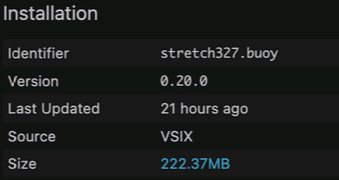
In the new versions that come with installer then you can skip setting any settings, and just use it as it comes.
The Run button up in the toolbar is your friend as first test:
The commands in the Menu, start with or without debugging seem to be more of a maybe. I have Mac where the Menu commands work and I have brand new Mac where the Menu commands do not work. And I got no idea why. But the run button works on both.
If you had previous installations of Buoy then I would empty all the settings for it in VS Code. And also check in VSCode to make sure it has the new version installed.
You can do that by going in Extensions in the side bar and typing in Buoy and then clicking on it.
Thanks for the help.
Now I’m getting an error message that permission is denied for executing Buoy. I’ve changed the permissions for all of the folders in the path leading to the Buoy executable to read/write, but I’m still getting this message.
Try installing it at its default location since that worked out of the box for me on 2 computers.
(I saw you were installing it elsewhere in your previous post)
If that does not work then I am out of ideas but maybe Greg knows !
@DrScott
Open a Terminal window and type each of these commands and tell me what the response is:
buoy --version

/usr/local/bin/buoy

which buoy
Also, when you said “and set my PATH to its directory” can you be more specific?
buoy --version
buoy version 0.21.0
which buoy
/usr/local/bin/buoy
I added the directory that Buoy is in to my PATH using the terminal. I also specified this path in Buoy’s Buoy Compiler Path setting within VS Code.
I just went back into VS Code and changed boy’s compiler path to /usr/local/bin/buoy. Everything’s working now. Thanks for the help.
You should be able to leave that field blank as well. Mostly the setting is there so I can point it at my repo for testing.
If you’re having trouble with VSCode Run not working, make sure you’ve saved first. it’s apparently having trouble making up a name for an unsaved project.
i might just not have found it in the documentation
But is there something to cover the case of SecondsFromGMT, On DateTime.
(as in something to know how much the timezone is offset from UTC)
Or on Timezone I guess given that DateTime has Timezone on it
Thanks
Edit: I guess my question also is in the other direction if I have the Total second delta how I would construct that into timezone info for the DateTime.
More DateTime questions…
How do I create DateTime from components, Year, Month, Day, Hour, Minute, Second.
Thanks
Björn
Even more DateTime questions.
Since DateTime is not object and cannot take Nil can we then have DateTime.Empty and DateTime.IsEmpty ?
DateTime is definitely an object.
I get this error here if I return nil on function that returns DateTime:
error: return type mismatch: expected DateTime, got Nil
Thats why I started to assume that DateTime was not object.
I’ll have to check, but I’m pretty sure the method needs to declare that it can return nil.
Need to get the new docs site up so I don’t need to keep going to my computer to answer these things.
Well it turns out you are correct. DateTime is a value type. I need to think about that.
I think DateTime.Empty and DateTime.IsEmpty would be fair as just using lowest possible date.
Thats how most languages do it that have it as value type.
Ok, so I think we’re going to leave DateTime as a value type since they really are immutable. The right way to deal with a method that returns a DateTime is to use Optional of <T>
Class Checker
  Property realDates as boolean = true

  Public Sub Constructor(realdates as boolean = true)
    me.realDates = realDates
  End Sub

  Public Function MakeDate() as Optional of DateTime
    if realDates then
      return some(DateTime.Now())
    end if

    return None
  End Function
End Class

sub main()
  dim c as new checker(true)
  dim x as optional of DateTime = c.MakeDate()

  dim date as datetime = x.or(datetime.now)
  print date.toString()
end sub
fortunately this exposed a bug in the vscode debugger code 
That does seem to work, thanks, I did not know of this syntax. Guess I will have to tech this syntax to my documentation tool also.
I got this to built on property pair just fine.
Public Property CreatedDate as Optional Of DateTime
        Get
            var year as Int16
            var month as Int8
            var day as Int8
            var hour as Int8
            var minute as Int8
            var second as Int8
            var gmtOffsetSeconds as Int32

            var res =  WordDocument_GetCreatedDate(instance, year, month, day, hour, minute, second, gmtOffsetSeconds) <> 0
            if not res then
                return None
            end if

            //TODO: Dont know how to do this one yet
            //return new DateTime(year, month, day, hour, minute, second)
            return None
        end get

        Set
            if value.HasValue then
                var dt = value.Value
                WordDocument_SetCreatedDate(instance, dt.Year, dt.Month, dt.Day, dt.Hour, dt.Minute, dt.Second) //TODO dont know how to deal with GMT offset yet
            else
                WordDocument_SetCreatedDate(instance, 0, 0, 0, 0, 0, 0) //TODO dont know how to deal with GMT offset yet
            end if
        End Set
    End Property
While it doesn’t exist yet, it’ll be something like
Var d as DateTime = DateTime.New(year, month, day, hour, min, sec)
Yea that sounds standard and good.
Do we have any idea on the Timezone problem ? Like how we can build a date with +2 in timezone without knowing what Timezone it is.
And same when reading the date how to know the offset of the timezone on it.
And note there is no special rush on any of the Date things, i just make those as incomplete in my code and continue on other things in the code.